
Reviewed · AUDIO TOURS
APP Self-guided routes West Coast with audio guide
The clever idea here is simple: put a West Coast road-trip planner in your phone, then let you choose the pace. The app links points of interest to Google Maps, supplies driving and walking routes, and adds audio commentary in six languages.
I like two things right away. First, the price covers up to five people, which makes $34.39 good value for a family or small group. Second, you can use the web panel to shape your own route and store travel documents, instead of following a fixed coach itinerary.
The main caution is scale. The route library reaches from Los Angeles to the Grand Canyon, Las Vegas, Yosemite, San Francisco, Big Sur, and Santa Monica. That is excellent for trip planning, but you cannot sensibly visit every listed area during one eight to ten-hour session.
In This Review
- Key points to know before you book
- What this West Coast app actually provides
- Los Angeles from Hollywood to Santa Monica
- The desert stop and the route toward Arizona
- Las Vegas works best as a walking module
- Yosemite includes both paths and a long drive
- San Francisco neighborhoods and the Bay
- Carmel, Monterey, and Silicon Valley
- Big Sur and the central coast
- Santa Barbara, Solvang, and the final coastal route
- How the web panel improves trip planning
- Audio languages and the self-guided format
- Is $34.39 good value for up to five people?
- Timing, meeting point, and practical limits
- Who should choose this experience?
- Should you book the West Coast route app?
- FAQ
- Where does the activity start?
- What time does the activity start?
- Where does the activity end?
- How long does the experience last?
- How many people can use one booking?
- Is this a private activity?
- Which languages are available for the audio guide?
- Are admission tickets included?
- Can I change or cancel the booking?
Key points to know before you book

- One app covers a huge West Coast area: Use routes for Los Angeles, Arizona, Nevada, California, national parks, and coastal towns.
- Audio comes in six languages: Choose English, Spanish, Portuguese, German, Italian, or French.
- You drive and walk at your own pace: This is navigation software, not a bus tour or a chauffeur service.
- The web panel adds useful trip control: Customize routes and keep travel documents in one place.
- The group price favors families: One booking covers up to five people for $34.39.
- The itinerary needs editing: Treat the listed stops as a route library, not a realistic one-day schedule.
What this West Coast app actually provides
This is a mobile navigation app with self-guided routes and audio guides. You receive access after booking, along with a web panel that works as a place to adjust your plans and store travel documents.
The app connects points of interest with geolocation and Google Maps. That matters because you are not just reading background information at random. You can move from a point of interest to the next stop using mapped driving or walking directions.
The route collection covers city walks, scenic drives, national park paths, and longer road sections. You might use it for a few hours in Los Angeles, then return to it later for San Francisco or Yosemite.
It is important to set the right expectation. There is no separate guide, vehicle, meal, hotel, or admission package listed. You operate the app yourself, pay for your own fuel and transport, and handle any attraction fees.
The audio is available in English, Spanish, Portuguese, German, Italian, and French. If your group prefers different languages, that choice can make the experience easier to share. The information provided does not identify individual audio narrators or a live guide.
A few more Los Angeles trips worth weighing up
- Los Angeles: Hop-On Hop-Off Bus Tour with Audio Guide
★ 3.7 · 2,030 reviews - City Sightseeing Hop-On Hop-Off Bus Tour with Audio Guide
★ 3.0 · 1,083 reviews - Joshua Tree National Park Self-Guided Driving Audio Tour
★ 4.5 · 762 reviews
Los Angeles from Hollywood to Santa Monica
The Los Angeles portion begins at Los Angeles International Airport, 1 World Way, Los Angeles, California 90045. The listed start time is 8:00 am, and the activity ends back at the same meeting point.
The route introduces Downtown Los Angeles, Hollywood, Beverly Hills, and Santa Monica. These areas feel very different from one another, so the app is most useful if you want a broad first look rather than a single neighborhood walk.
At the Hollywood Sign stop, the app focuses on ways to photograph the famous letters. The listed visit lasts about one hour and has no admission fee. That sounds modest, but practical directions matter here because the sign is best understood through viewpoints and route planning rather than a single entrance gate.
You should not read this as a promise of a private viewing platform or a guided hike. The information only confirms route guidance and suggestions for photographing the sign. Use the app to identify the point, then follow its linked map.
Los Angeles sightseeing can become inefficient quickly. Downtown, Hollywood, Beverly Hills, and Santa Monica are spread out, and a self-guided route helps you decide what deserves your limited time. I like that flexibility more than a rigid schedule, especially if traffic changes your plans.
The desert stop and the route toward Arizona
The Desert Discovery Center stop is listed as a ten-minute visit. Its main feature is a meteorite that fell thousands of years ago, and admission is shown as free.
This is a short stop, so it works best as a break between larger sights. Do not expect the same amount of material as at the Grand Canyon or Yosemite. The value comes from having the location and background in the same route system.
The Arizona section then expands considerably. It includes Monument Valley, Bryce Canyon, Zion, Antelope Canyon, and Horseshoe Bend, along with driving routes and walking routes.
Antelope Canyon is listed with an admission fee not included. That small note has a big practical effect. You need to budget separately for paid attractions, and you should not assume that every point on the map is included in the $34.39 app price.
The route also includes the Grand Canyon, with a tour of its viewpoints. The listed time is about one hour and admission is shown as free, meaning the app does not charge an extra ticket for its route. It does not mean every possible park-related cost is covered, so use the app as a guide rather than a bundled entry pass.
The Grand Canyon section is a good example of how to use this product well. Instead of trying to follow every point, pick the viewpoints that fit your day. The app gives you a framework, while you decide how long to stop and how far to drive.
Las Vegas works best as a walking module
The Las Vegas section provides sightseeing information, walking routes, and locations for points of interest. It is listed as about one hour, with no admission ticket included or required for the route itself.
I would use this part as a compact city orientation. You can open the map, follow the walking route, and use the audio to add context as you move between locations.
The app is more useful here than a long driving loop. Las Vegas has a concentrated sightseeing area, while the surrounding West Coast route covers huge distances. A walking module lets you park once and explore on foot.
The supplied information does not name particular hotels, shows, museums, or attractions included in the Las Vegas route. Keep that in mind when planning. You are buying access to the route and its points of interest, not admission to specific entertainment.
A different kind of day out, same stretch of Southern California:
- Full-Day Iconic Sights of LA, Hollywood, Beverly Hills, Beaches and More
★ 5.0 · 6,147 reviews - Warner Bros. Studio Tour Hollywood
★ 4.5 · 5,246 reviews - Hollywood, Beverly Hills & Celebrity Homes Tour by Open Air Bus
★ 5.0 · 2,557 reviews - Hollywood Sign 2.5-Hour Tour with Comedians and Their Dogs
★ 5.0 · 2,496 reviews
Yosemite includes both paths and a long drive
Yosemite National Park has walking routes, plus a driving route from Mammoth Lakes to Oakhurst. The listed time for this section is one hour.
That combination is useful because Yosemite trips often involve two different needs. You may want a short walk inside the park, but you may also need help understanding the wider road connection through the region.
The app can help you switch between those modes. Use the walking route when you are near a point of interest, then return to the driving route when the next stop requires a longer move.
I would not try to use the one-hour label as a full Yosemite visit. It describes the suggested route segment, not the amount of time you need to see an entire national park. The app gives you directions and commentary, but you still need to set aside your own time for the park.
San Francisco neighborhoods and the Bay
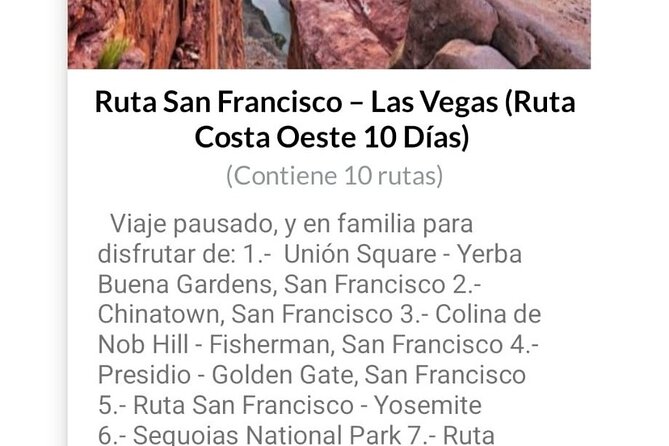
The San Francisco section links Yosemite with the Bay Area and offers walking routes through different San Francisco neighborhoods. It also includes excursions from San Francisco, though the supplied details do not specify every excursion or its price.
This is one of the strongest uses for a self-guided app. City neighborhoods are easier to appreciate on foot, and a route can keep you moving without forcing you into a large group.
The app was particularly useful for planning a San Francisco route in Spanish, with detailed self-guided directions. That makes the language options more than a menu item. For Spanish-speaking users, the route can be followed without switching between separate translation tools.
You should still check each point before setting off. Some excursions may require separate payment, and the app does not include other services. The information clearly lists admission as not included for this section.
Carmel, Monterey, and Silicon Valley
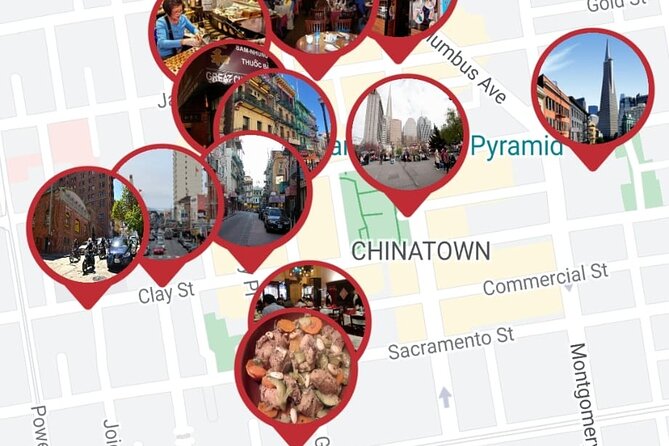
The drive from San Francisco to Carmel passes through Silicon Valley and points connected with companies such as Google and Facebook. The same section includes a walking tour of Monterey and a tour of the Monterey Peninsula.
This gives you three different ways to use the app:
- A drive connecting San Francisco and Carmel
- A city walk in Monterey
- A broader route around the peninsula
The route is appealing if you want more than a straight transfer. You can use the driving directions to understand the area, then switch to a walking route once you reach Monterey.
Admission is shown as free for this stop. That applies to the app route itself. It does not promise entry to private company sites or every attraction you might encounter along the way.
The Silicon Valley portion should also be treated as a route past notable company locations, not a guaranteed behind-the-scenes visit. The information names Google and Facebook as points along the drive, but it does not include tours of their offices.
Big Sur and the central coast
The Big Sur section is listed at about 30 minutes and covers points of interest along the area. This is a compact route module, useful when you want to identify viewpoints and breaks along a coastal drive.
Big Sur is best handled with patience. A short audio route can introduce the main points, but it cannot replace the time you choose to spend stopping, walking, or looking out over the coast. The app gives you structure without deciding how long you should stay.
The attraction is the connection between route guidance and place-based information. You can follow the road, hear the audio, and stop when a marked point suits your schedule.
Santa Barbara, Solvang, and the final coastal route
The route from Monterey to Santa Barbara passes through Solvang, then continues with attractions in Santa Barbara. This stop is listed at about 30 minutes, with no admission ticket shown.
The app helps turn a long coastal transfer into a series of possible stops. Solvang adds a change of character, while Santa Barbara gives you another city section to explore.
Again, the 30-minute figure should not be treated as a full visit. It is better understood as the suggested time for reviewing or following this part of the route. If you stop in Santa Barbara, you decide how much time to spend at its points of interest.
The final section runs from Santa Barbara to Santa Monica along the coast. It includes points and viewpoints of interest and is also listed at about 30 minutes.
That ending makes sense for a Los Angeles-based trip. Santa Monica gives you a coastal finish after the inland cities, deserts, parks, and canyon routes. Since the listed meeting point is LAX, you can use the route as a starting framework or return toward the airport when your plans require it.
How the web panel improves trip planning
The web panel is one of the most useful features for anyone who dislikes making route changes on a small phone screen. You can customize your own route before setting out, then use the app while moving between stops.
You also receive a repository for travel documents. That gives you one place for the trip material connected with this experience, rather than forcing you to search through separate messages or files.
This feature matters most on a multi-stop road trip. The route collection is broad, and you will probably want to remove some sections, reorder others, or focus on one region.
I would prepare your route before the day begins. Pick a practical cluster, such as Los Angeles and Santa Monica, or San Francisco and Monterey. Trying to use every available route at once would turn the app into a list rather than a workable plan.
Audio languages and the self-guided format
The audio guide supports English, Spanish, Portuguese, German, Italian, and French. That makes the app suitable for mixed-language families and small groups.
A self-guided format gives you privacy. The activity is private, and only your group participates. You are not waiting for other people, matching a guide’s walking speed, or listening to commentary meant for a crowd.
The tradeoff is that you must manage the experience yourself. If you miss a turn, need to change the order, or want more explanation at a stop, there is no live guide listed to answer questions.
Most people can participate, and service animals are allowed. The activity is also near public transportation, though the route clearly depends heavily on driving for many of its West Coast sections.
Is $34.39 good value for up to five people?
At $34.39 per group, the price is attractive if you have three to five people. Split five ways, the app costs less than seven dollars per person, before any separate attraction, transport, or admission costs.
For a solo user, the value is less obvious, but it can still make sense if you use several regions during a longer trip. The app combines route directions, audio, points of interest, walking routes, driving routes, and document storage in one purchase.
The cost does not include any other service. You are not paying for a driver, a vehicle, entry tickets, or a live guide. Antelope Canyon and some San Francisco activities are specifically listed with admission not included.
The best value comes from using the app as a reusable trip tool, not as a one-day sightseeing tour. If you only need a short Hollywood walk, you may use just a small part of what you paid for.
Timing, meeting point, and practical limits
The approximate duration is eight to ten hours, with an 8:00 am start at Los Angeles International Airport. The activity ends back at the meeting point.
That timing is important. The route collection spans several states and many parts of California, so the full selection cannot fit into one normal day. Think of the duration as your planned use period, while the content provides route choices for a wider trip.
Confirmation is received at booking. The ticket is mobile, which keeps the process simple, and the activity is private for your group.
The cancellation rule is strict: the booking is non-refundable and cannot be changed for any reason. Only book once your date and plans are firm.
Who should choose this experience?
I would recommend it to families, couples, and small groups who want to build their own West Coast route. It suits people who like audio commentary but do not want a fixed tour group.
It is also a good match for anyone planning several stops across California and the Southwest. The mix of city walks, park routes, and long drives gives you a single planning tool for different parts of the trip.
You may want something else if you need a live guide, a private driver, guaranteed attraction entry, or a tightly scheduled one-day tour. The app does not provide those services.
Should you book the West Coast route app?
Book it if you value control, language choice, and route flexibility, especially if up to five people will share the cost. The detailed self-guided format is useful for San Francisco, Los Angeles, Monterey, Yosemite, and the coastal road sections.
Before booking, make a realistic plan. Choose one region for the eight to ten-hour session, check which attractions charge separately, and treat the Grand Canyon, Arizona, Las Vegas, and national park material as additional route modules for a longer trip.
The app is not a magic shortcut across the West Coast. It is a practical digital guide that works best when you use it selectively and build a sensible route around your own vehicle, time, and interests.
FAQ
Where does the activity start?
It starts at Los Angeles International Airport, 1 World Way, Los Angeles, California 90045, USA.
What time does the activity start?
The listed start time is 8:00 am.
Where does the activity end?
The activity ends back at the meeting point at Los Angeles International Airport.
How long does the experience last?
The approximate duration is eight to ten hours.
How many people can use one booking?
One booking covers a group of up to five people.
Is this a private activity?
Yes. Only your group participates.
Which languages are available for the audio guide?
Audio guides are available in English, Spanish, Portuguese, German, Italian, and French.
Are admission tickets included?
No other service is included. Antelope Canyon and some San Francisco activities specifically require admission that is not included. The listed routes for the Hollywood Sign, Desert Discovery Center, Grand Canyon, Las Vegas, Yosemite, Carmel, Big Sur, Santa Barbara, and Santa Monica show no separate admission ticket.
Can I change or cancel the booking?
No. The experience is non-refundable and cannot be changed for any reason.
Just added around Los Angeles
- Los Angeles: Speakeasy Bar Hopping Tour with Drink★ 4.7 · 3 reviews
- Private Surf Lesson in Venice Beach, CA★ 5.0 · 3 reviews
- LA: Expo Park Space & Dinosaurs Tour with Cal Science Center★ 5.0 · 3 reviews
- Private Photo Tour of the Best Instagram Spots in Los Angeles★ 5.0 · 3 reviews
- Santa Monica Superhero Exploration Game and Tour★ 5.0 · 3 reviews
- Private Hollywood Sign Hiking Tour with Select Hotel Pickup★ 5.0 · 3 reviews
- Private 5-Hour Limo Tour of Los Angeles and Beach Cities★ 3.5 · 3 reviews
- Hooray for Hollywood: 35-Minute Helicopter Tour★ 4.7 · 3 reviews
Audio Tours, compared.


City Sightseeing Hop-On Hop-Off Bus Tour with Audio Guide
Read our review →

Palm Springs and Joshua Tree Self-Guided Driving Audio Tours
Read our review →
Hollywood Fame & Celebrity Homes Self-Guided Audio Bundle Tour
Read our review →

Browse the lists this tour appears in